NATIVE MENU BAR APP
Connect, watch traffic,
disconnect.
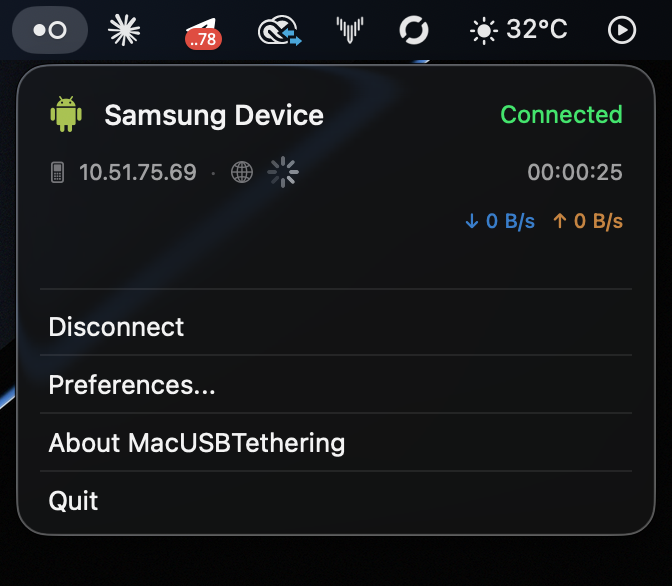
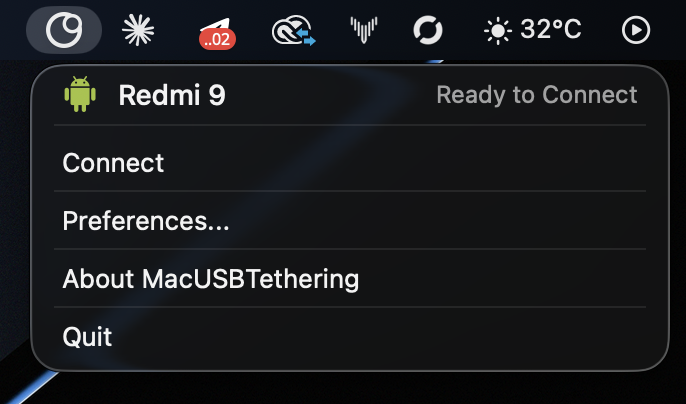
See the phone, assigned IP, connection time, live upload and download rates, plus ping status without opening a full window.
ANDROID USB TETHERING, REBUILT FOR MAC
A native menu bar app that brings Android USB tethering back to macOS — without kernel extensions and without disabling SIP.
ONE CABLE. A REAL CONNECTION.
See the phone, assigned IP, connection time, live upload and download rates, plus ping status without opening a full window.
Networking runs in userspace through libusb and macOS utun. No kext installation. No SIP workaround.
Low-latency USB packet transfer in the tested setup, with no Wi-Fi hotspot overhead.
RNDIS control, DHCP, ARP and packet forwarding are implemented directly in the app.
Builds natively for Apple Silicon and Intel using the architecture of the host Mac.
WHAT IS INSIDE
MacTethering handles the entire path from Android's USB interface to the macOS network stack. The result behaves like a real network connection, not a browser proxy.
Finds the Android RNDIS interface and claims the correct USB endpoints.
Initializes the device, reads its MAC address and configures packet filtering.
Requests an IP lease directly from the connected Android phone.
Creates and configures a virtual macOS interface using the assigned address.
Moves packets from USB to utun and from utun back to USB in real time.
Answers and processes layer-two requests needed for a stable connection.
HOW IT WORKS
Once the initial setup is complete, the everyday flow takes three actions.
Use a USB data cable — not a charge-only cable — and unlock the phone.
On Android, open hotspot or connection settings and turn on USB tethering. MacTethering detects the RNDIS device.
The app negotiates RNDIS, gets an address through DHCP, creates a utun interface and applies the route.
Your Mac sends internet traffic through the phone's mobile connection. Live status stays visible in the menu bar.
TESTED HARDWARE
MacTethering works with Android phones that expose USB tethering through RNDIS, which is the common case across vendors. Implementations differ in the details, so behavior can vary from one model to the next.
REQUIREMENTS
GET STARTED
Install libusb, build the native menu bar app, then open it. The first launch asks for your administrator password once so it can install the required permission rule.
MacTethering is free. If it earned a place on your Mac, you can buy a license as a thank-you — paid once, yours forever.
Buy a license — $9, forever$ brew install libusb
$ bash GUI-Swift/build.sh
$ open "GUI-Swift/build/MacTethering.app"Built for the architecture of your Mac.
FAQ
Many Android phones expose tethering over RNDIS, a protocol macOS does not support out of the box. MacTethering supplies that missing userspace bridge.
No. The app does not install a kernel extension and does not require SIP to be disabled.
Yes. The included build script compiles for the host architecture: arm64 on Apple Silicon and x86_64 on Intel.
It is designed for phones that expose USB tethering through RNDIS, which covers most Android devices. Vendors implement it slightly differently, so it is worth testing your own phone.
The menu bar app launches the networking helper with elevated privileges. A permission rule is installed once, so the password is not requested on every connection.
Yes. Full-tethering mode adds the default route and DNS configuration so normal Mac internet traffic uses the phone's mobile connection.
ANDROID INTERNET. MAC SIMPLICITY.
Free to use. The license is a thank-you, paid once and kept forever.